Exhibits that number themselves. Drag & drop to reorder and exhibits re-number themselves. Export exhibits as PDFs. No signup or account required.
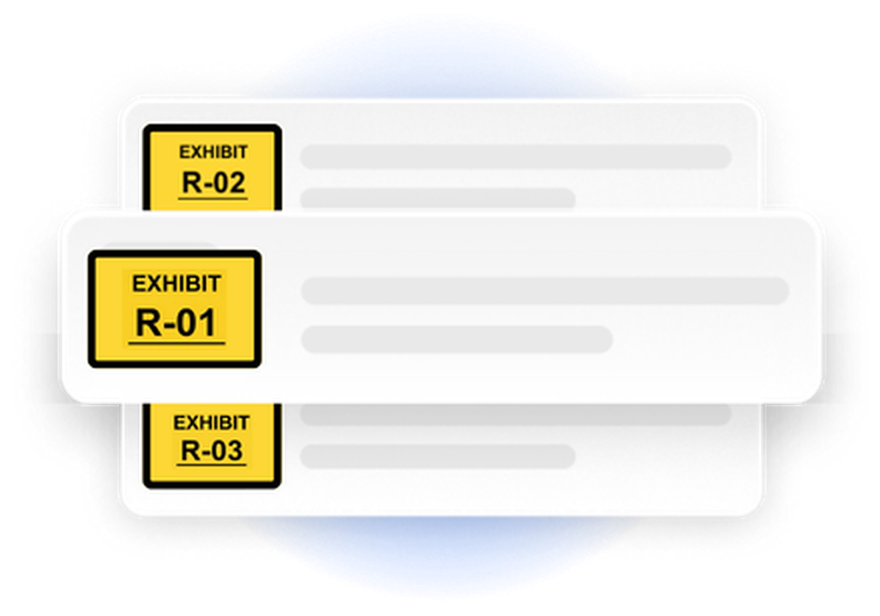




Upload your PDFs and place exhibit stickers directly on any page — just click where you want the sticker. No printing, no scanning, no manual labels. Stamp your entire exhibit list without leaving your browser.
Every jurisdiction and every case has its own exhibit conventions. Chronodocs lets you configure your sticker appearance once and apply it consistently across every exhibit — numbering scheme, prefix, color, size, and custom text lines.
Changed your exhibit order the night before trial? Just drag and drop. Exhibit numbers update automatically across every document. When you're ready, export PDFs with stamps permanently burned in.
Chronodocs makes presenting exhibits effortless. Display documents exactly as prepared, move between exhibits instantly, and keep your presentation clean, controlled, and courtroom-ready.
Your work is encrypted and never sold or shared. And when a matter demands air-gapped privacy, upgrading to the Pro plan lets you keep it entirely on your device and off our servers.
Stop printing, sticking, and re-scanning. Stamp your exhibits in your browser.

The case-chronology workspace built for litigators. Document-linked timelines, exhibit management, and a courtroom presentation display — in one workspace, from intake through trial.
