This workflow explains how family law professionals label events and documents by category and subject, then apply and save filters to quickly isolate exactly what is needed for hearings, witness examination, and trial.

This material is for family law attorneys and paralegals who use timelines to prepare for hearings and trial and need to control what information appears on screen at any given moment. As cases mature, timelines naturally become comprehensive and dense, making unfiltered views impractical in court. The workflow demonstrated here focuses on labeling events and documents so they can be filtered precisely by issue, procedure, or subject. The goal is speed, clarity, and control during live proceedings.
By the time a family law case reaches hearing or trial, the timeline often contains dozens or hundreds of events touching many different issues. Without filtering, critical facts are buried in noise.
Category and subject filters allow practitioners to:
Filtering is not about reducing information overall; it is about showing only what matters in the moment.
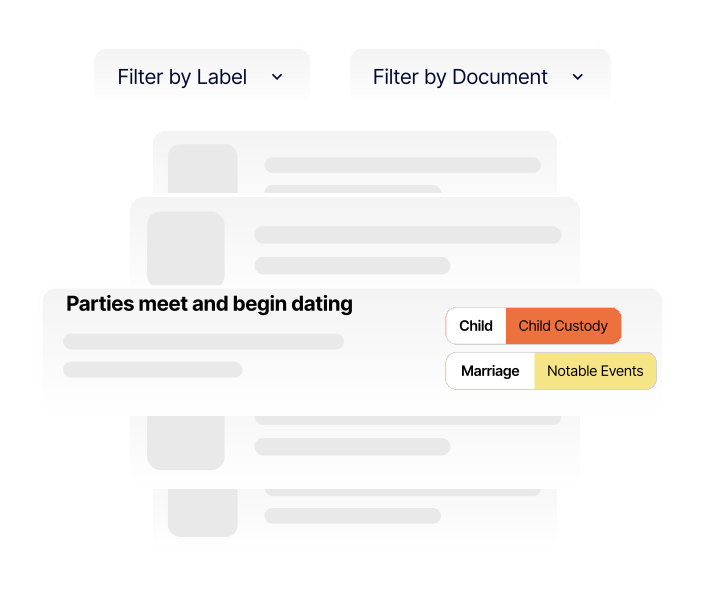
Each event can be assigned one or more labels that describe what the event relates to.
Labels consist of two components:
This structure allows events to be retrieved later based on how they might be argued, examined, or questioned at trial rather than how they were originally created.
When creating an event, labels are applied immediately based on how the event may be used later.
Some labels may already exist and can be reused if appropriate. Others should be created specifically for the case. Family law issues vary widely, and no preset list can capture every relevant subject.
When deciding which labels to apply, the guiding question is:
Under what issue or issues would I want this event to appear later during a hearing or trial?
A single event often relates to more than one issue. For example, a communication between parties may touch on education, mental health, and parental conduct.
Applying multiple labels allows:
This approach ensures that the same evidence can be accessed from multiple analytical angles without duplication.
There are times when a label needs to be applied to many events at once.
Batch labeling allows practitioners to:
This is particularly useful when preparing for hearings or trial after discovery has been completed.
Once labels are applied, the timeline can be filtered to show only events matching selected labels.
Filters can be:
The filtered view replaces the full timeline until the filter is removed, allowing the practitioner to work without distraction. Filters can be cleared at any time to return to the master timeline.
Filtering is not limited to events. Documents themselves can contain highlights and references tied to specific issues.
This allows practitioners to:
This is especially useful with lengthy financial records or multi-issue exhibits.
In addition to issue-based filtering, a dedicated filter can be created for a specific hearing or trial.
This involves:
This hearing-specific timeline can coexist with the master timeline and be accessed as needed.
Saved filters allow immediate access during live proceedings.
Common practices include:
Saved filters remain available until removed and can be reused throughout the proceeding.
Saved filters remain current as long as labels are maintained.
To add an event to a saved filter:
To remove an event:
This allows hearing and trial views to evolve as preparation continues without rebuilding filters from scratch.
Get started today for free and start building. No account needed! See why law firms are raving about our tool.

Create secure, chronological case timelines with searchable events, labeled evidence, highlighted documents, and courtroom-ready presentations
